

One account for everyone
Registrar, cashier, teachers, librarian, canteen staff, students and parents sign in once. Each person sees only the workspaces their role allows.
School management system · Philippines
AcadLink connects admissions, enrollment, grading, online classes, the cashier, the canteen and the library: one account, one set of records, one login for everyone in your school.
Why AcadLink
Most schools juggle a grading spreadsheet, an enrollment form, a cashier's book and a separate LMS. AcadLink puts them on one foundation: a student is enrolled once, assessed once, graded once, and every office reads the same record. Students follow it in the Student Portal, parents see their children's grades and balances, and the school keeps every record on its own server.
Registrar, cashier, teachers, librarian, canteen staff, students and parents sign in once. Each person sees only the workspaces their role allows.
Admission becomes enrollment, enrollment becomes an assessment, payments post to accounting, and grades flow into the transcript, with no retyping.
An activity log, approvals for voids and refunds, roles and permissions, and backups power.admin can restore part by part.
The student journey
Follow one student through the school year. Every step runs on the same record.
Step 01
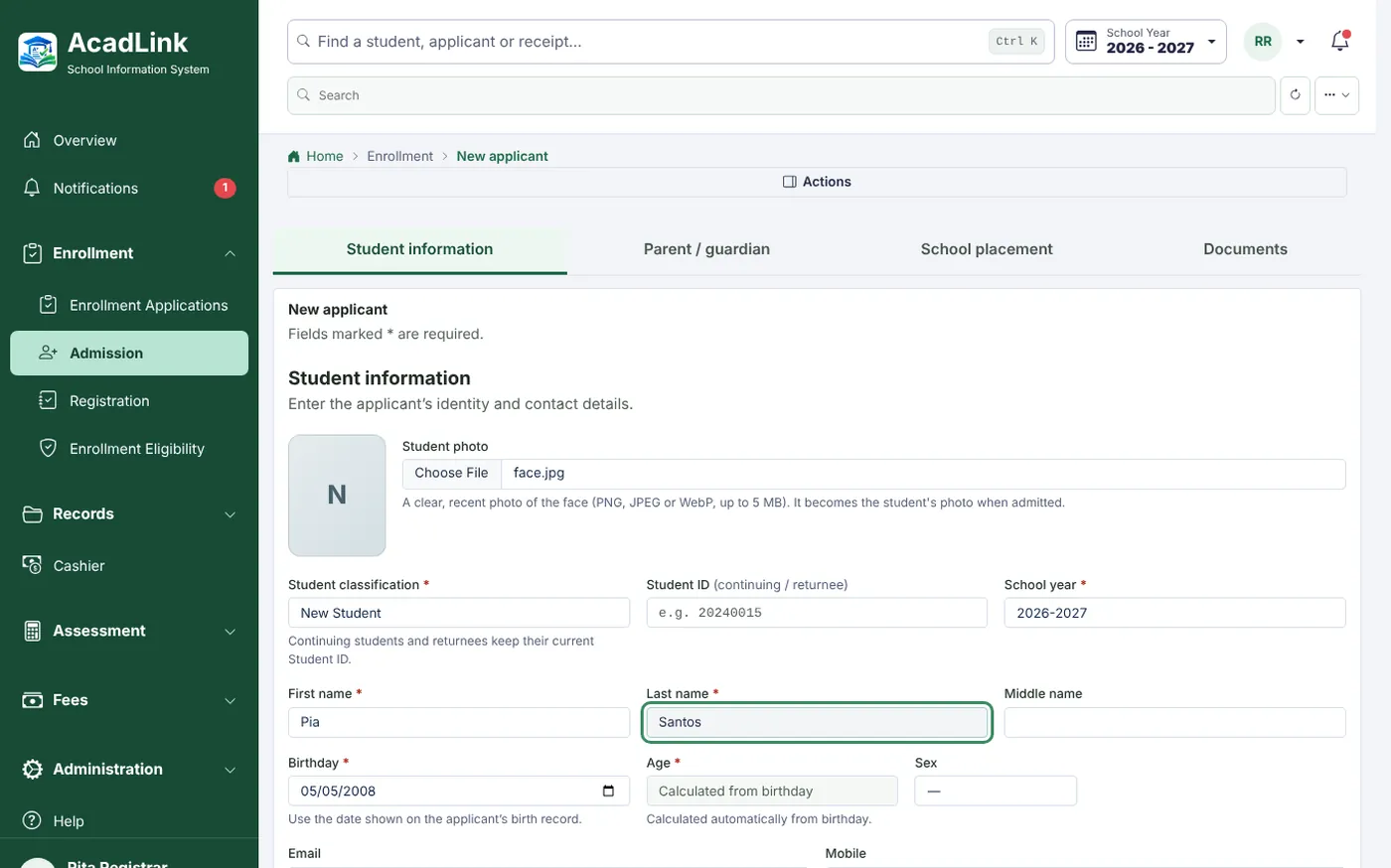
The application starts at home.
Applicants fill in the admission form in the Student Portal, add their photo and agree to the privacy notice. The registrar reviews and admits.
Step 02
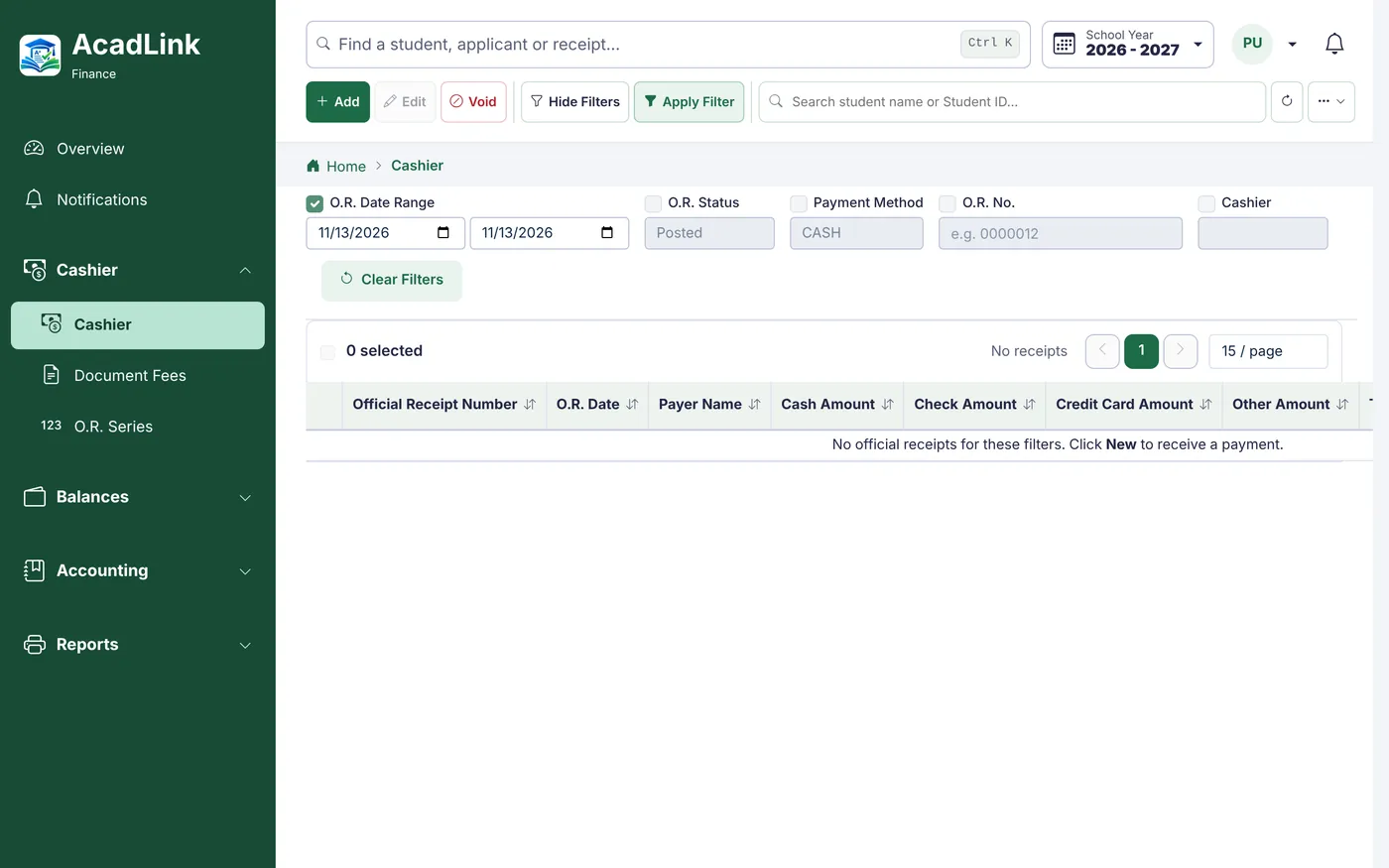
Assessed once. Paid anywhere.
Registration builds the assessment from the curriculum and fee setup. The cashier issues official receipts from the O.R. series, and every payment posts to accounting for review.
Step 03
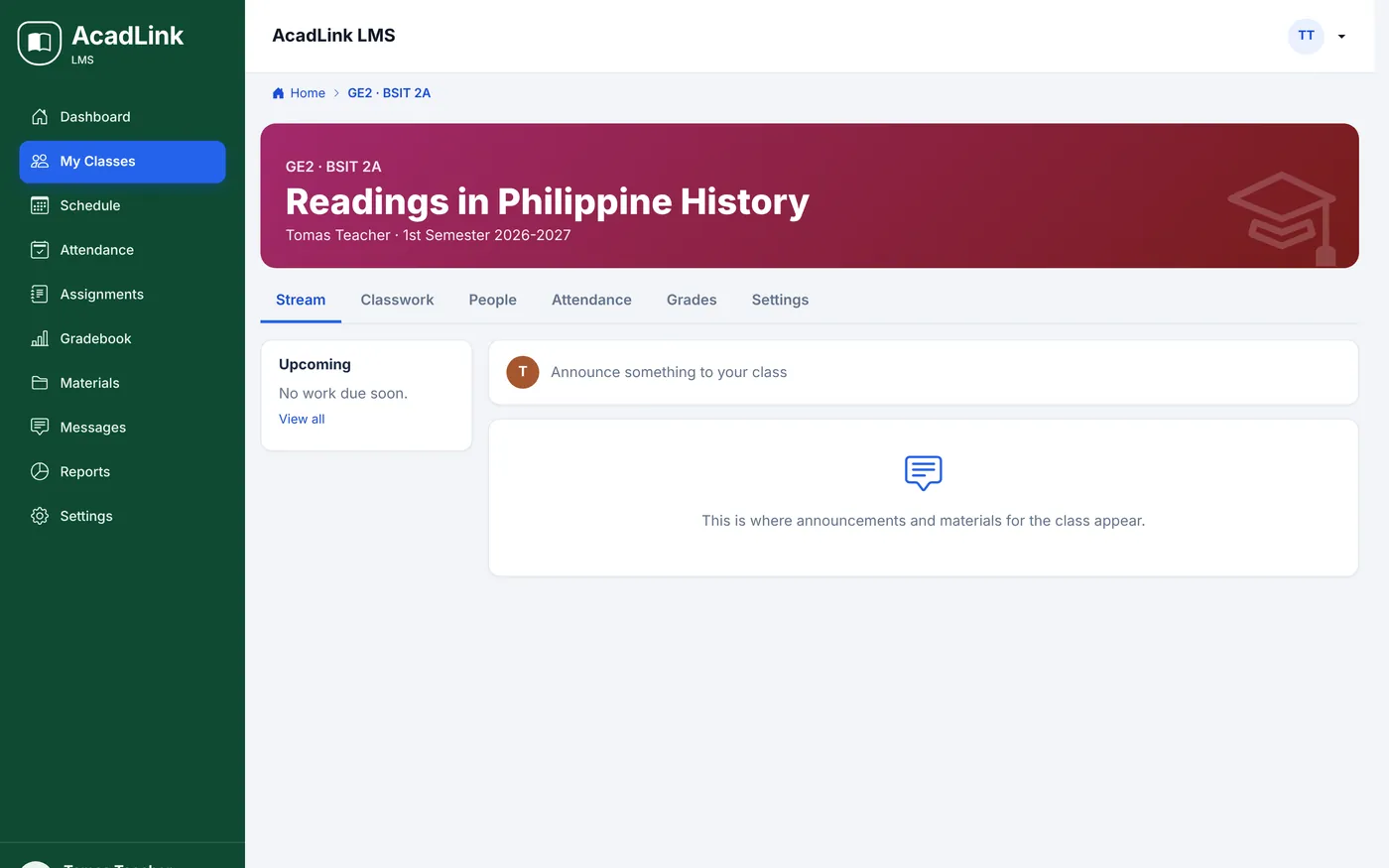
Classes, quizzes and attendance in one place.
Each class gets a stream, classwork, quizzes that check themselves, attendance and a gradebook. Students hand in files, text or links from any phone.
Step 04
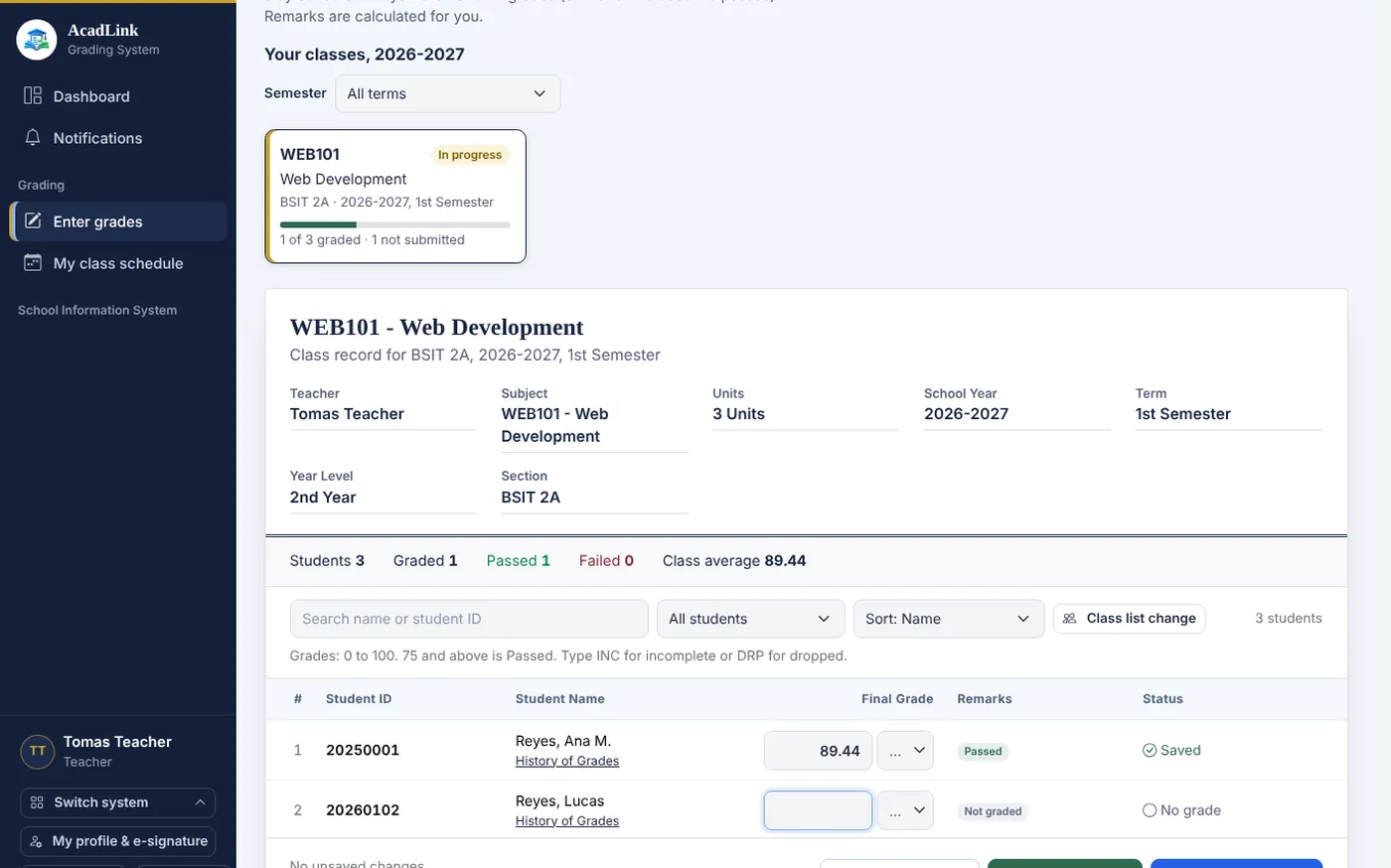
From class work to the official grade.
Teachers send LMS averages to the Grading System as drafts, review them, and submit. The registrar tags terms complete, and grades appear in the Student Portal and the transcript.
Step 05
Pay at the counter in seconds.
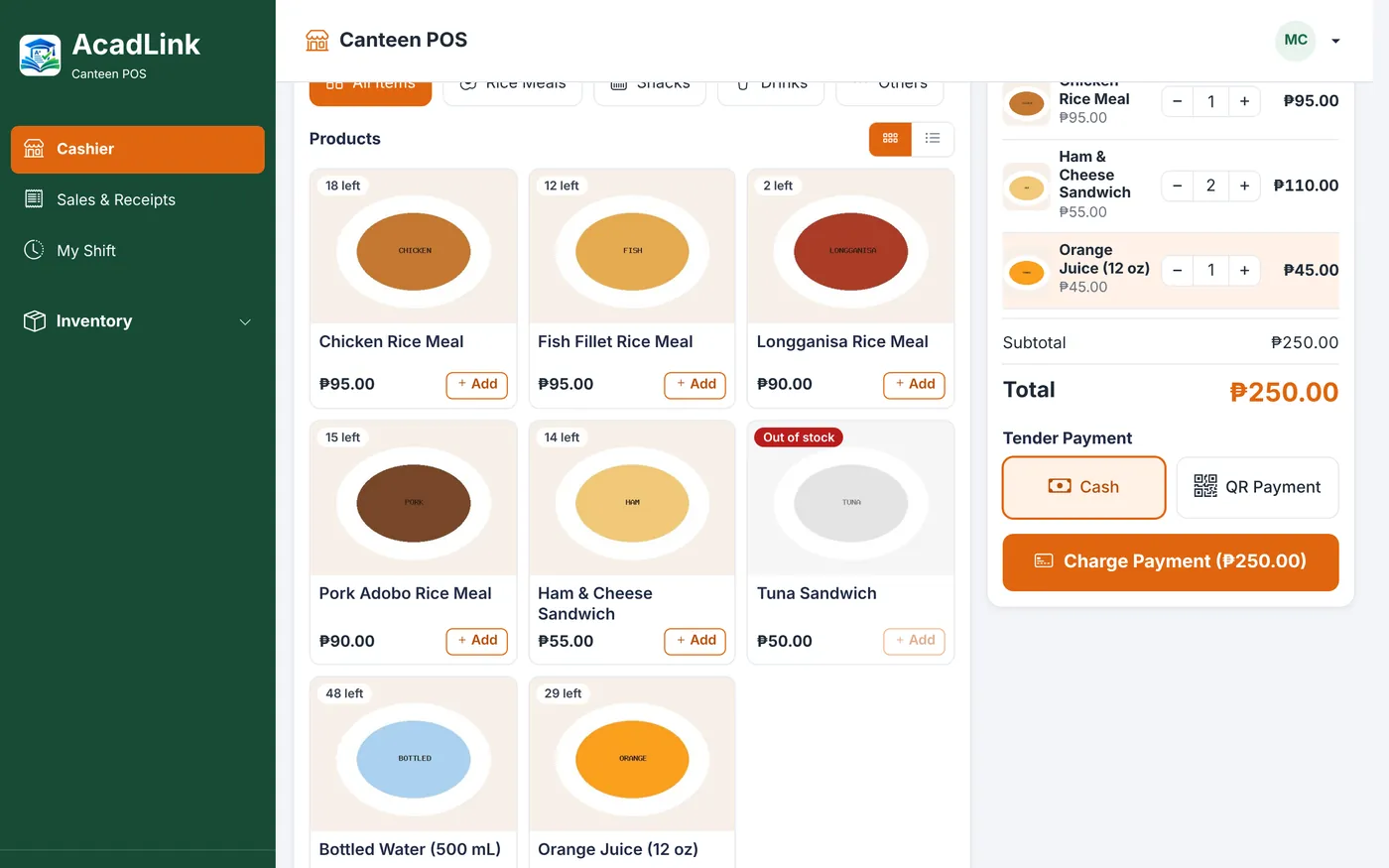
The canteen POS sells by barcode or a tap of the student's ID, with cashier shifts, cash counts and stock levels. Every sale posts to accounting by itself.
Step 06
Books checked out with the same ID.
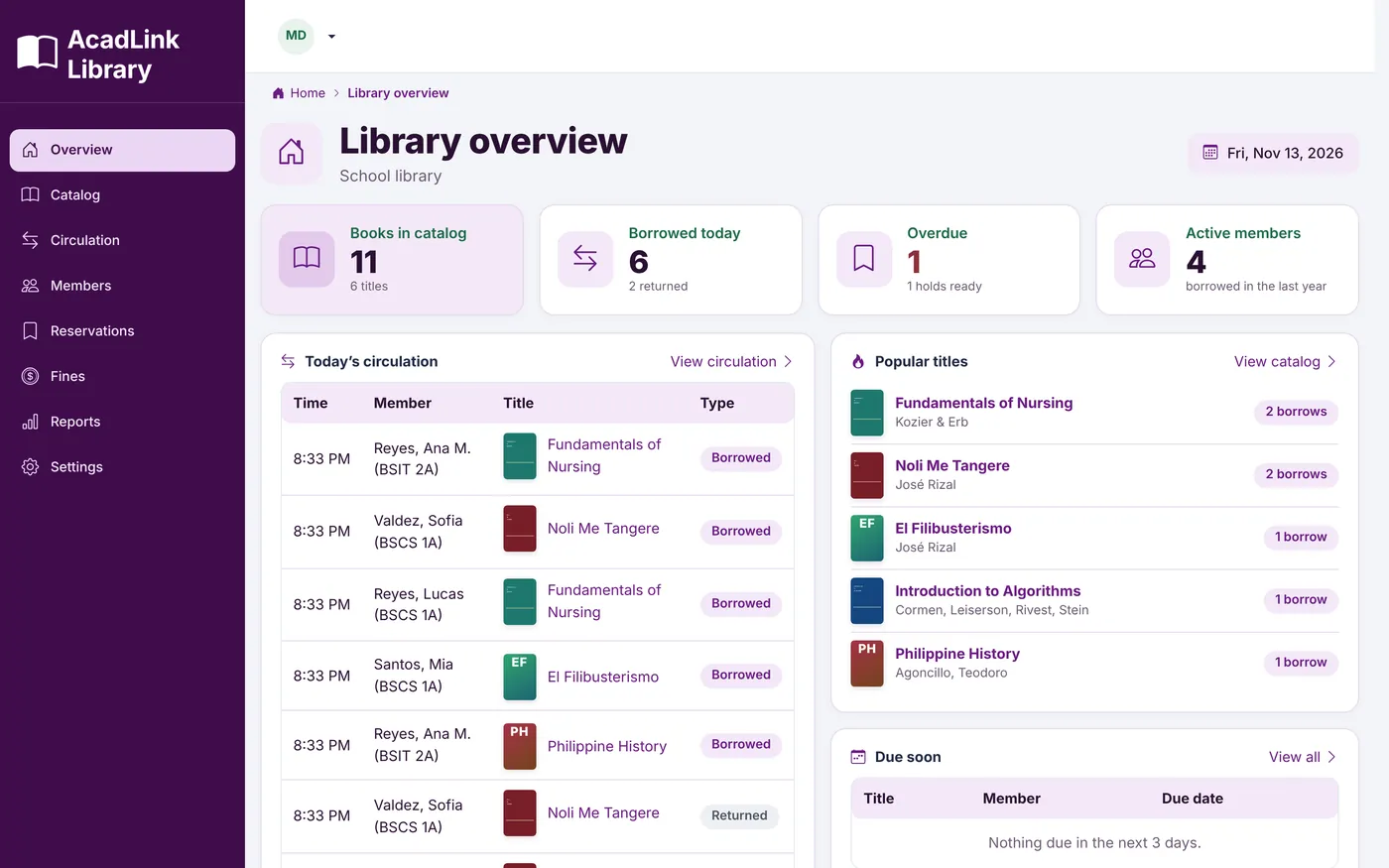
The library catalogs every book and checks it out by barcode, with holds, renewals and stocktakes. Overdue fines are added to the student's balance, and reminders go out before the due date.
Step 07
Read-only, and only their own children.
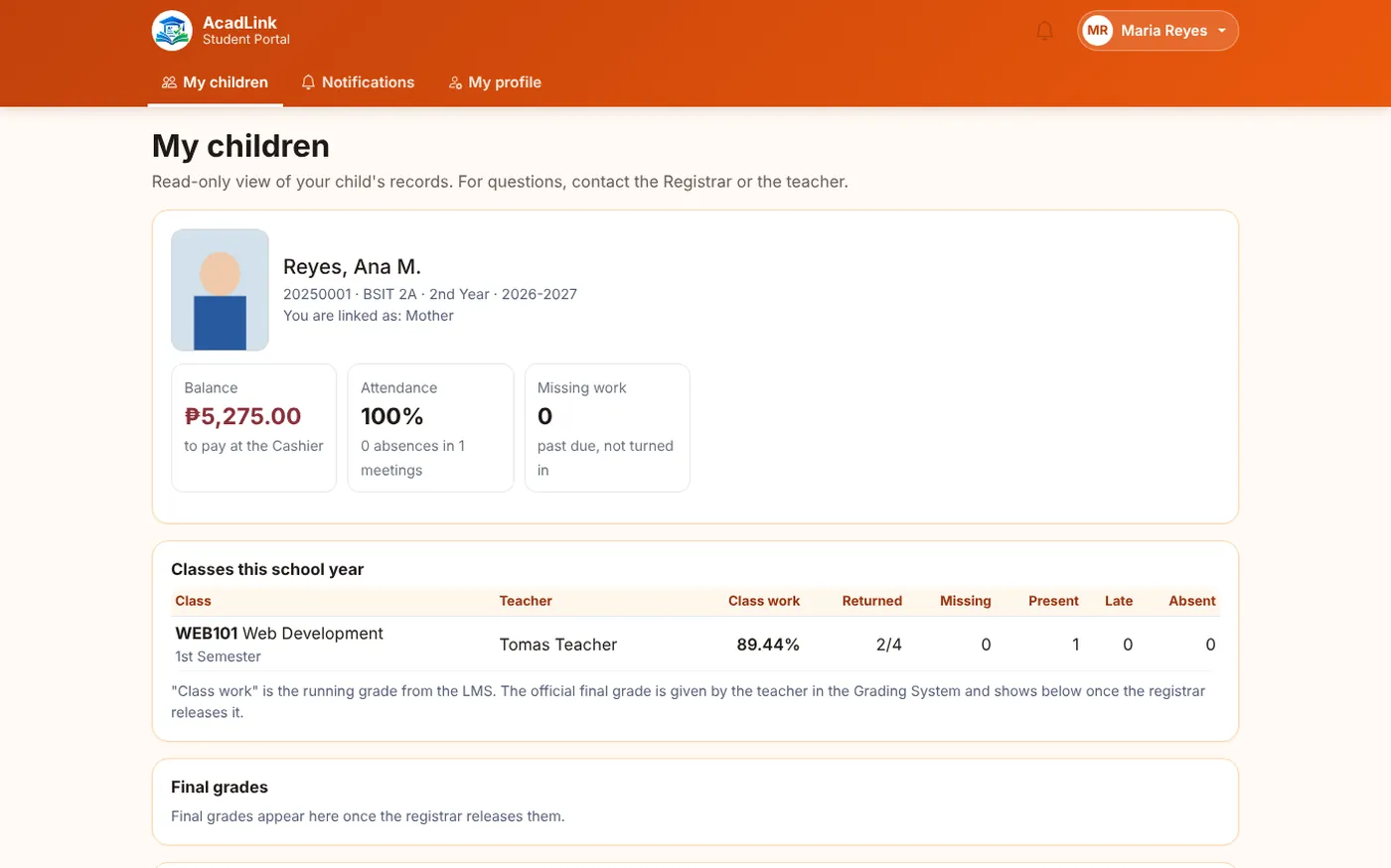
The registrar links parent accounts to students. Parents see released grades, class work, attendance, balances and receipts, and get notified when something changes.
Step 08
Backed up, part by part.
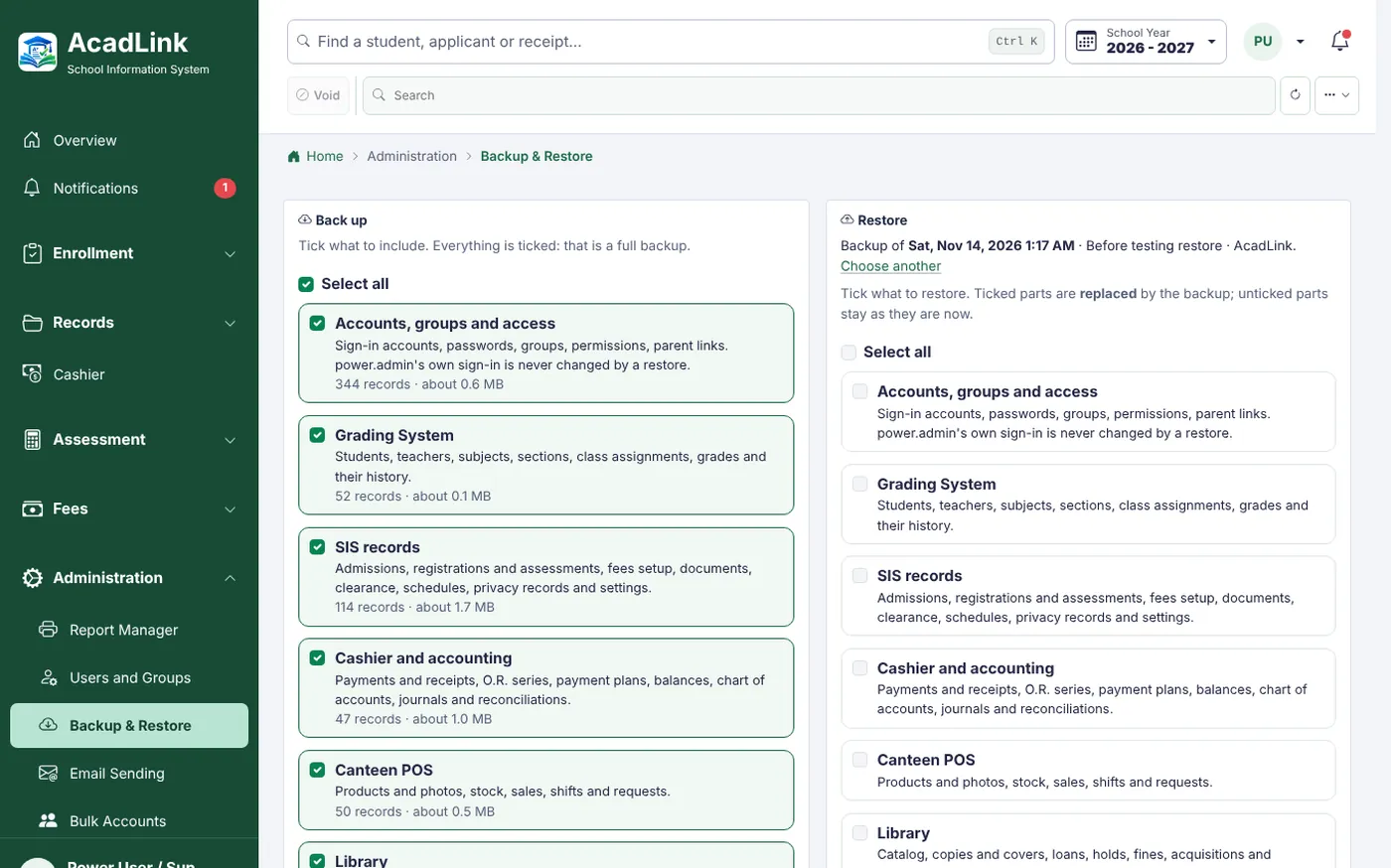
power.admin backs up everything into one file and restores only the parts that are ticked, in one transaction, after a safety copy. Nothing is half-restored.
 All on AcadLink.
The AcadLink platform
From the registrar's window to the canteen counter, every AcadLink workspace works as part of one connected system. Start with what you need; add the rest later.
Academics
Teaching and grading.
Grading SystemClasses, grade sheets, transcripts› LMSClasswork, quizzes, attendance›Enrollment
From applicant to alumnus.
SISAdmissions, registration, records› Student PortalStudents and parents›Finance
Every peso accounted for.
CashierOfficial receipts, payment plans› AccountingJournals, review, reports›Campus Shared
Services around the school.
Canteen POSSales, shifts, stock› LibraryCatalog, loans, holds, fines›Canteen Shared
Food and sales at the counter.
Canteen POSBarcode and ID-tap sales› Shifts & stockCash counts, inventory, sales reports›Library Shared
Books for every student.
LibraryCatalog, members, stocktakes› CirculationLoans, holds, renewals, fines›Security & privacy
Security is part of every screen, not an add-on. Access follows roles, sensitive actions need approval, and every change is logged.
Groups for registrar, cashier, accounting, teachers, librarian, canteen and parents. View or edit, per module.
Who did what and when: sign-ins, payments, grade changes, exports and restores.
Privacy notice and consent at admission, "Download my data" for students, and retention reviews.
Full or partial backups by power.admin, with a safety copy before every restore.
Book a demo
See AcadLink running on your own enrollment, grading and cashier workflow.
Contact us
Tell us about your school and what you would like to improve. We'll reply by email or call you back.